


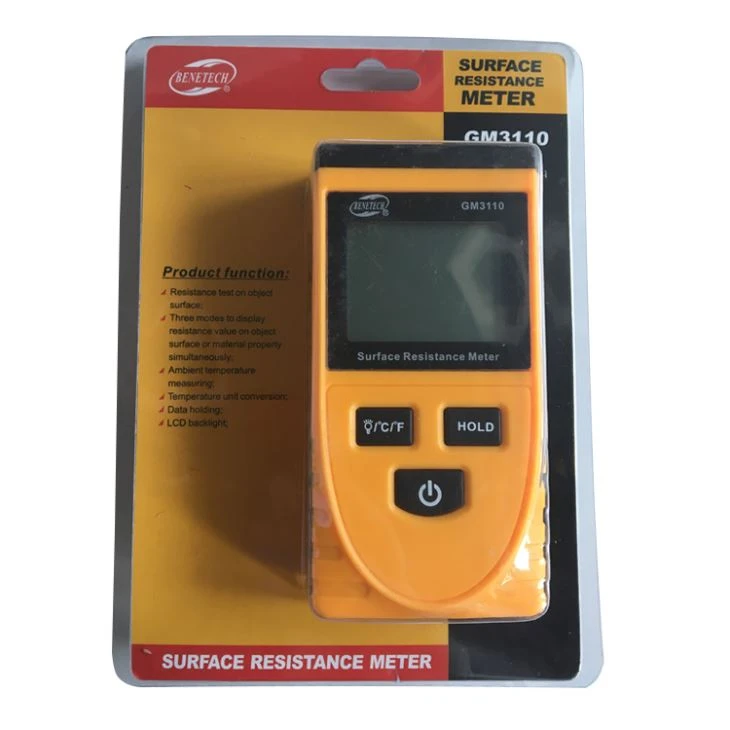
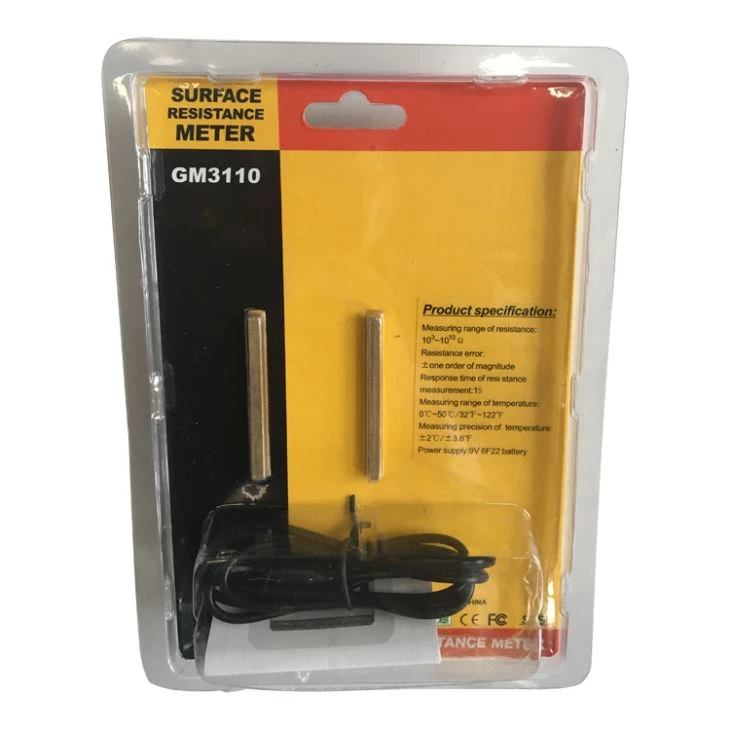
Surface Resistance Tester
<1>.Surface Resistance Tester introduction:
GM3110 is an object surface resistance tester. By attaching two parallel electrodes of the instrument to the surface of the object to be measured, the resistance value of the surface of the object can be measured to determine whether the object to be tested is a conductor, an antistatic material or an insulator. At the same time, the instrument can also measure the resistance of the object to ground. The instrument is especially suitable for various anti-static fields.
<2>.Product specifications
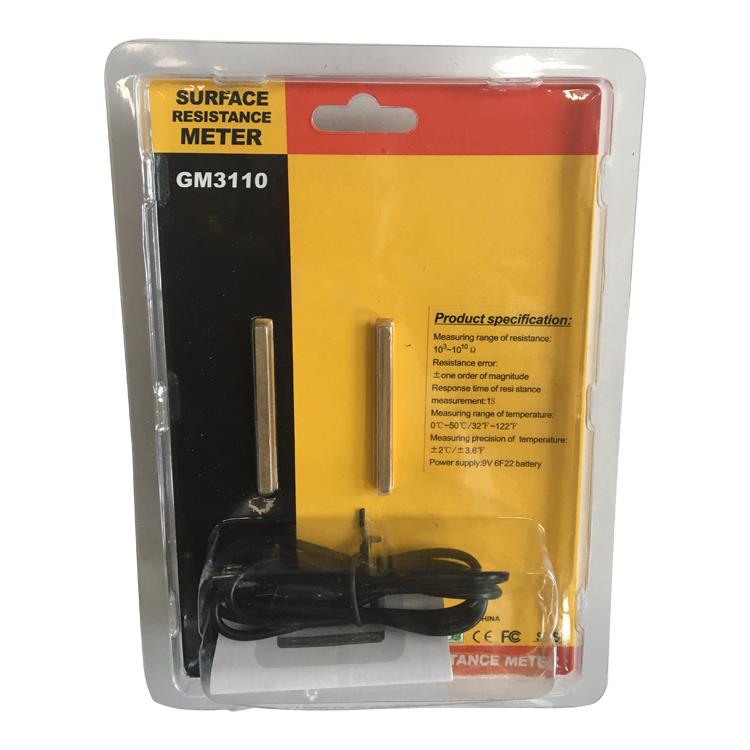
| Resistance measurement range | 103-1010 Ω |
| Resistance measurement error | ± one order of magnitude |
| Resistance measurement response time | 1S |
| Temperature measurement range | 0°C ~ 50°C/32~122 F |
| Temperature measurement accuracy | ±2°C/±3.6 °F |
| Power | 9V 6F22 |
| Battery size | 63.6x31.x125.8mm |
Weight: 122g The measured maximum range resistance of this machine is 20KM. The 1011 and 1012 displayed by this instrument are an estimation concept, not accurate or not measured.
The resistance measurement error is described as follows: A surface resistance of 1010 is shown as 109 or 1011, which is within the error range.

<3>.GM3110 surface resistance tester Functional characteristics
1. This surface resistance tester has the following functions:
2. Surface resistance test of the object;
3. Three ways to simultaneously display the resistance value or material property of the surface of the object;
4. Ambient temperature measurement;
5. Temperature unit conversion;
6. Data retention function;
7.LCD backlight;
<4>.Key operation
1. Power button: Short press this button to control LCD backlight, long
Temperature unit conversion.
Press this button to achieve
2. Power button: Measurement data hold button.
3. Power button: Switch button.
<5>.Instructions
1. Press the power button to turn on the LCD, and the LCD enters the normal measurement screen and displays the ambient temperature value.
2. Attach the two electrodes of the machine to the surface of the material to be tested. About 1 second, the surface resistance of the material to be tested and its conductive properties are displayed on the LCD, indicating that the material to be tested is a conductor, an antistatic material or an insulating material.
3. Ground resistance measurement: Insert the grounding wire into the grounding socket at the front end of the instrument, and ground the other end of the grounding wire to keep the right side of the instrument.
Extremely close to the surface of the object being measured, the resistance value displayed on the LCD is the resistance to ground. (At this time, the left measuring electrode should not touch the surface of the object).
4. Data hold: After measuring a data, press the HOLD button, the data will remain on the LCD screen, and then press the HOLD button to exit the hold function.
5. Backlight control: In the power-on state, press the °c/°f button, the backlight is on, it is convenient to measure at night, press again to turn off the backlight.
6. Temperature unit conversion: In the power-on state, long press the °c/°f button to convert the temperature unit.
<6>LCD display and button functions:
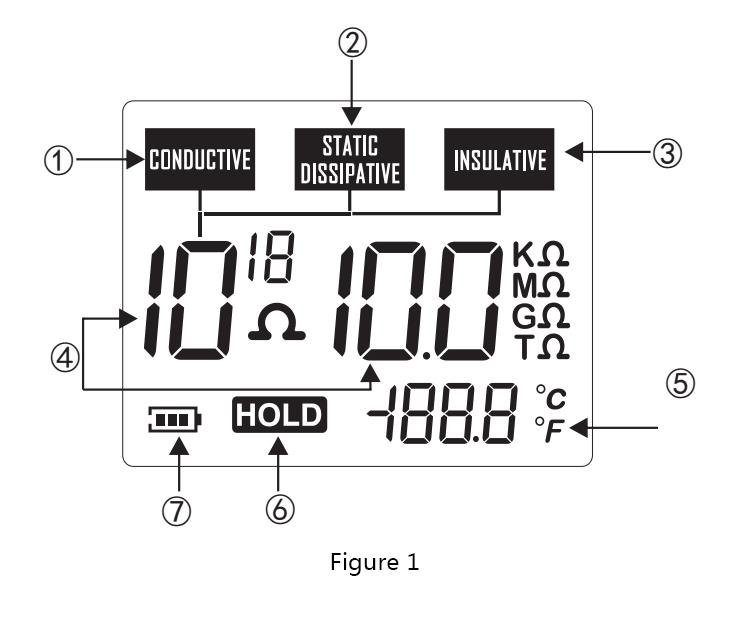
1.LCD full screen display: see below (Figure 1)
1. Conductor display icon
2. Anti-static material display icon
3. Insulation display icon
4. Resistance value display
5. Temperature value
6. Data retention icon
7. Battery power prompt
<7>.Part name: see below (Figure 2)
A. LCD display
B.LCD backlight and temperature unit conversion button
C. Data hold button
D. Switch button
F. Surface resistance measuring electrode
E. Ground wire jack
G. Battery door

<8>.LCD reading
a) 103 ~ 105 Ω, conductor; 10 6 ~ 1011 Ω, anti-static material;
≥10 Ω, insulating material;
b). The measured resistance is less than 10 3 Ω, and the LCD shows 10 3 Ω;
c). Example: Figure 3 resistance reading is: 109 Ω, 1.0GΩ, the material to be tested is anti-static material;

<9>.calibration
(Under normal circumstances, users do not need this operation.) If the ambient temperature and humidity change greatly, the user finds that the measurement is deviated during use, and the user can do the following simple calibration.
1. Open circuit calibration: first press the °c/°f button and HOLD button at the same time, then press the power button to turn on the machine, the machine enters the calibration mode. Note: the two electrodes at the bottom of the machine need to be placed in the air, hands and other things not to be When you touch the electrode, a number less than 60 is displayed at the bottom right of the screen. Press the power button again, the open circuit data is saved, and the open circuit calibration is completed.
2. Short-circuit calibration: first press and hold the °c/°f button and HOLD button at the same time, then press the power button to turn on the machine, the machine enters the calibration mode. At this time, take a metal.
The strip or metal block is connected to the two electrical levels at the bottom of the machine, that is, the two electrodes are shorted, and the number at the bottom right of the screen is approximately 700 (just approximate). Press the power button again, the short circuit data is saved, and the short circuit calibration is completed.

contact us:
welcome to consult us>>
>>>we sincerely hope you can join us and enjoy our excellent quolity,
continuous innovation and best service
Please visit our website at www.esd-safe.com
http://www.esd-antistatic.com/
http://www.antistatic-product.com/
Email:sales@safety-working.com/abba@safety-working.com
Tel:+86 135 3812 4704
Skype:8b34bd47fdba9fe9
WeChat:135 3812 4704/152 7069 1228
ADD:Floor 12th,Gaosheng A building,No18 zhongxin road,Shajing,Bao'an,518104,Shenzhen,China
Hot Tags: surface resistance tester, China, suppliers, wholesale, cheap, price


